One agent, two ways in
A spoken turn and a typed turn reach the same agent, the same tools and the same prompt. Voice is an input method, not a separate product with its own behaviour to keep in sync.
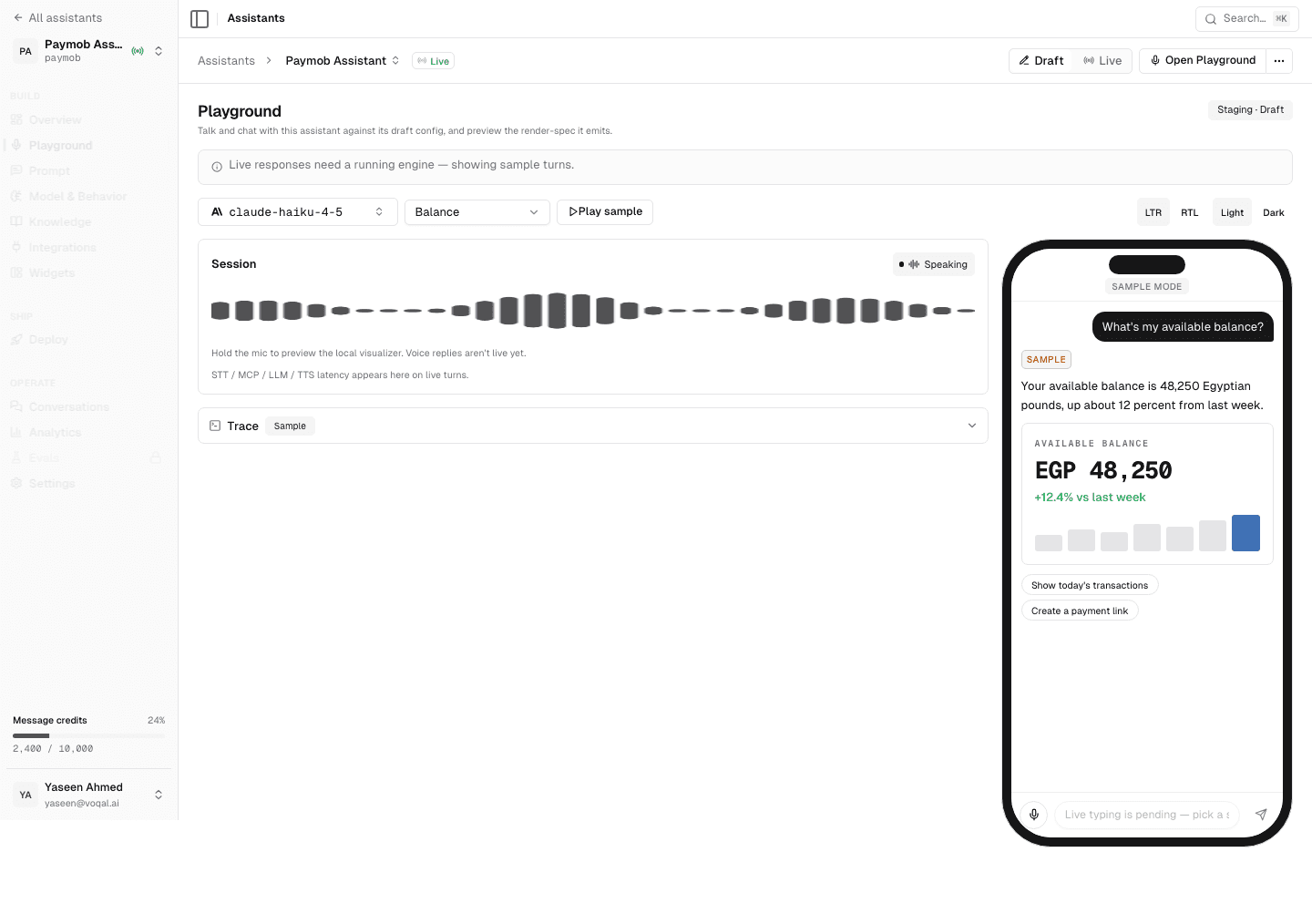
Speech in and speech out, over the same agent and the same tools that serve a typed turn.
Dictation is not the feature. Speaking is only worth it when what comes back finishes the task: the order reordered, the charge explained, the delivery moved. Voqal treats a spoken turn as a request to an agent that can call your backend, not as text to drop into a search field.
The parts that are genuinely hard — turn-taking, interruption, keeping the spoken answer short while the screen carries the detail — are in the SDK. What you decide is which tools the agent may call.
A spoken turn and a typed turn reach the same agent, the same tools and the same prompt. Voice is an input method, not a separate product with its own behaviour to keep in sync.
A voice turn gets a spoken answer. A typed turn stays silent. Nobody's phone starts talking because they tapped a suggestion.
Cutting the assistant off mid-sentence cancels the speech, stops the player and hands the microphone back. The in-flight work is abandoned rather than finished quietly in the background.
A spoken answer is short. The detail arrives as widgets on screen at the same time, so the user hears the summary and reads the numbers.
Every turn records the transcript, the tools the agent called and the widgets it returned, so a bad answer can be traced rather than guessed at.
The SDK owns the recording surface and the playback, and asks for the permission in the flow where the user chose to speak.
A healthy warm turn runs in a few seconds end to end, and the largest pieces of that are not ours: speech recognition and your own backend dominate. The runtime keeps a warm connection to your tools and primes the model cache when your app launches, which is what separates a fast first turn from a slow one. We would rather publish that than a headline number that only holds in a demo.
The voice documentation covers the delegate methods, the permission flow and how interruption is wired. The widget catalogue covers what the answer can draw.